See it running.
From an empty project to something moving on screen.
Rendering
Physically based materials, real-time lights and a sky that moves with them.
A sky with real depth.
Volumetric clouds come built in. They catch the sun, shade themselves, and fade into the horizon with no skybox textures to paint.
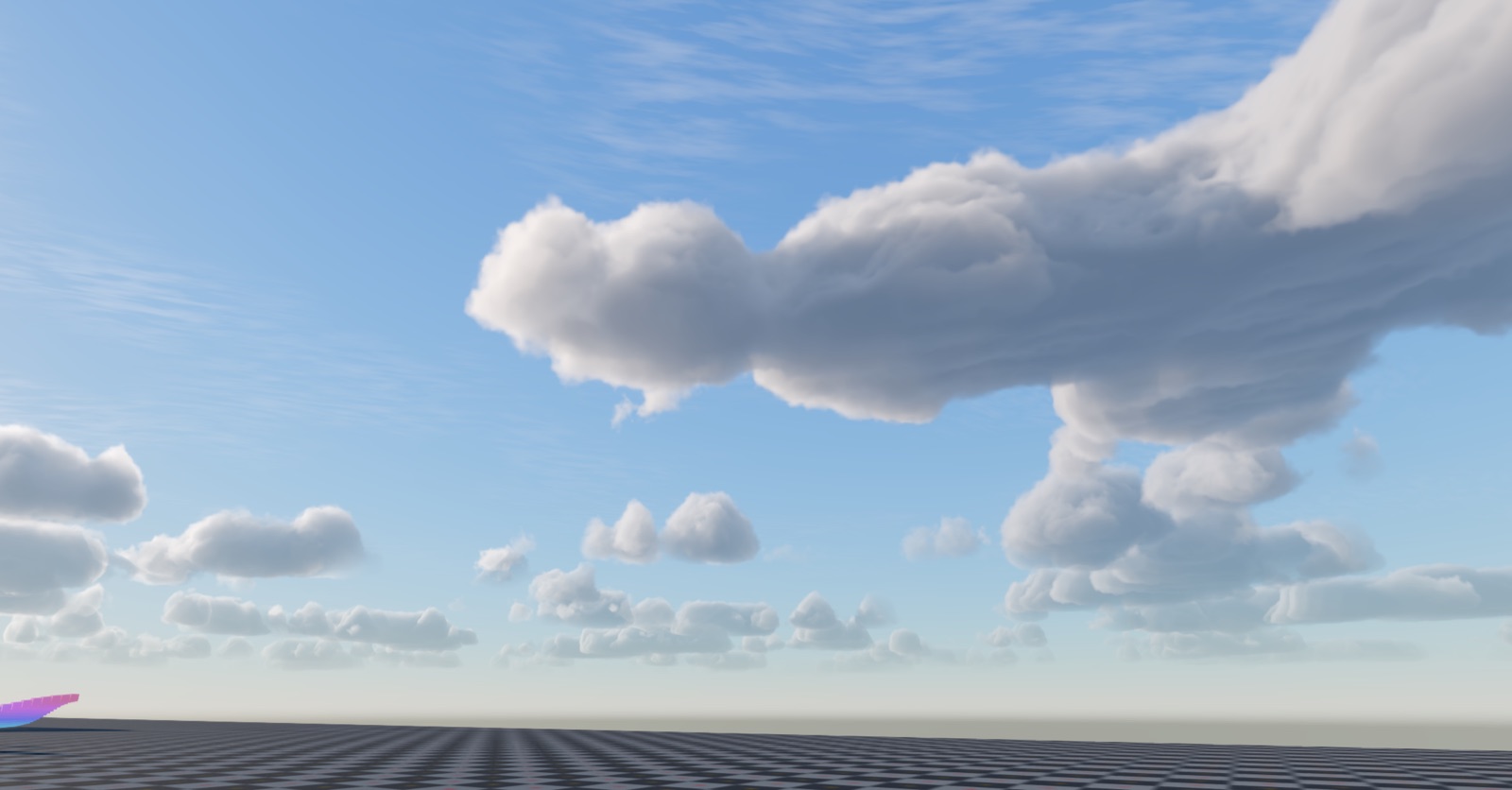
Volumetric, not painted on
Clouds are real volumes with soft self-shadowing, so they hold up from any angle.
Lit by your sun
Move the light and the clouds re-shade with it, from bright midday white to warm sunset.
Part of the scene
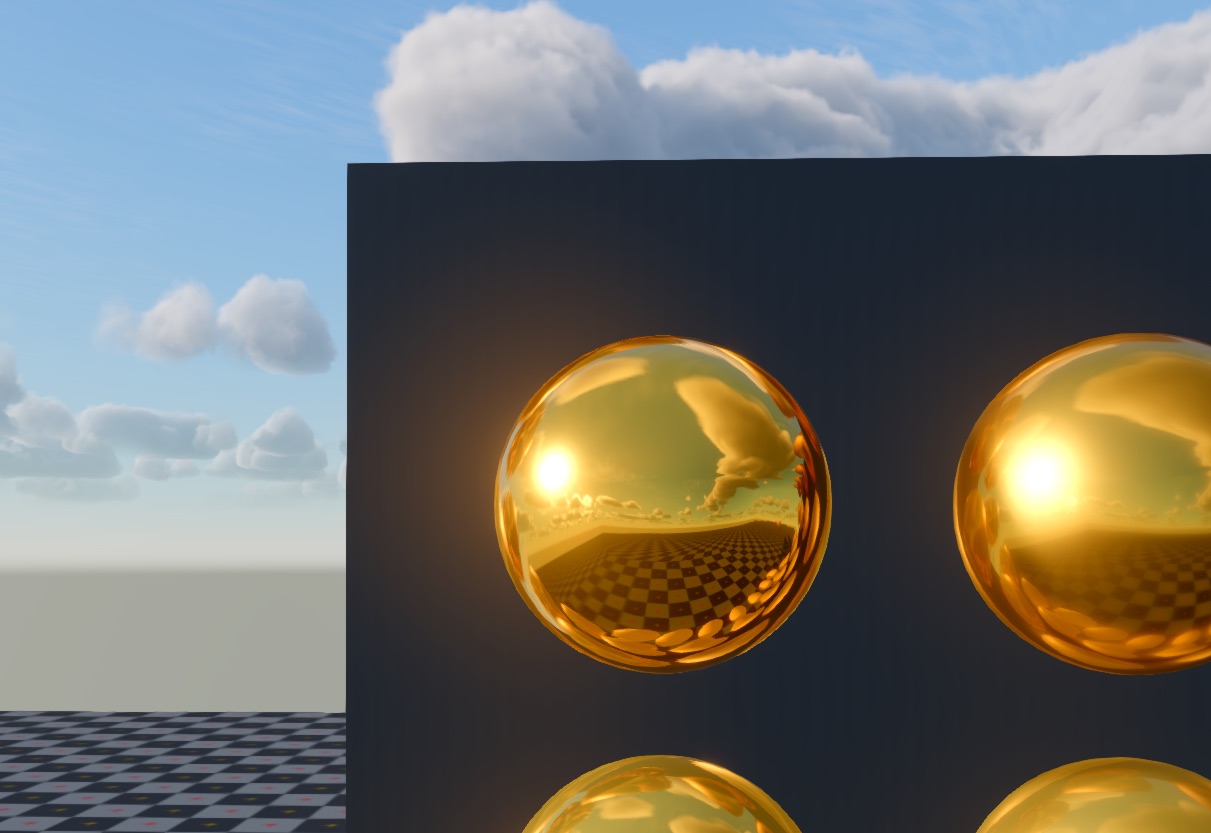
Reflections and every camera see the same sky, so nothing looks pasted in.
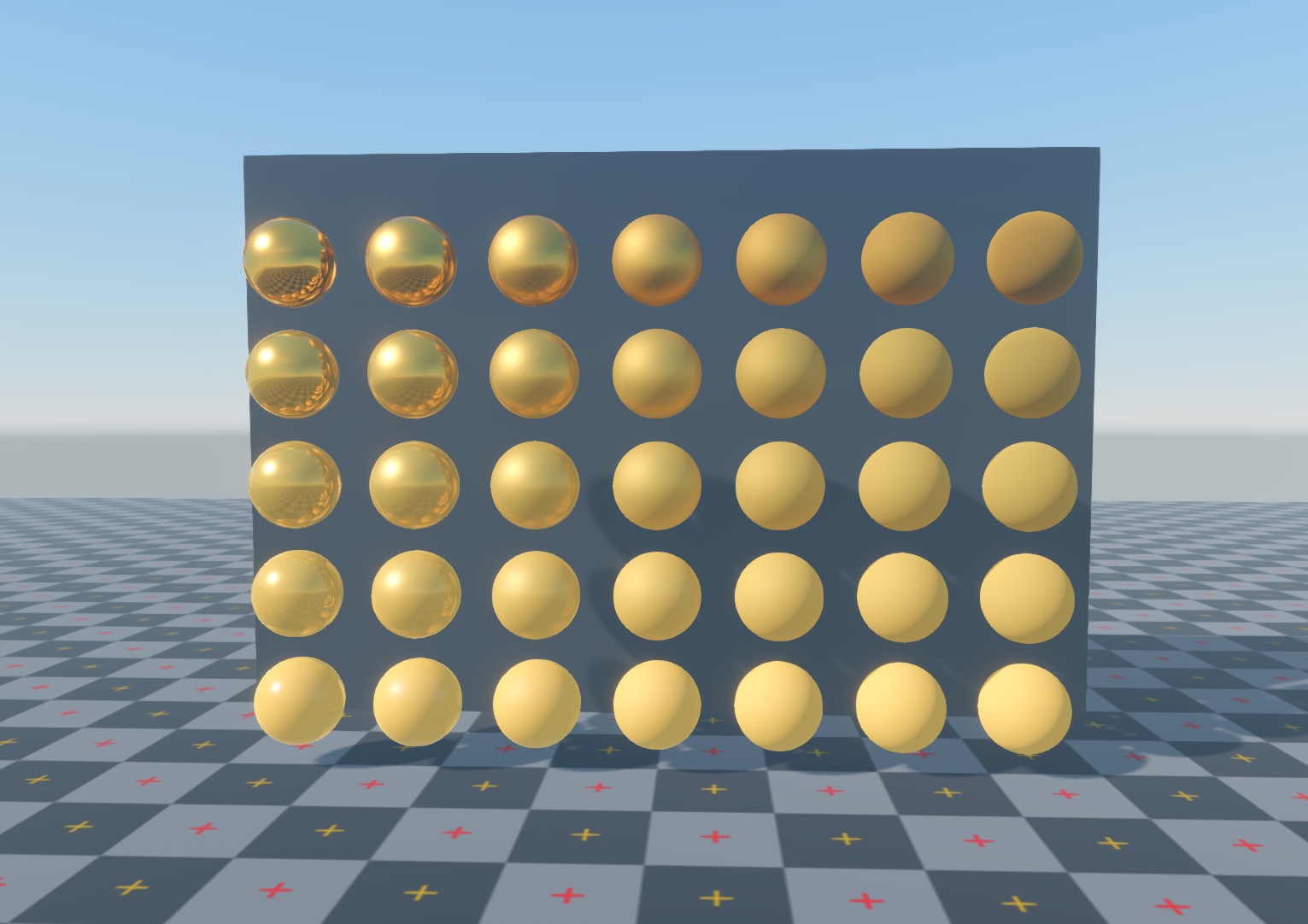
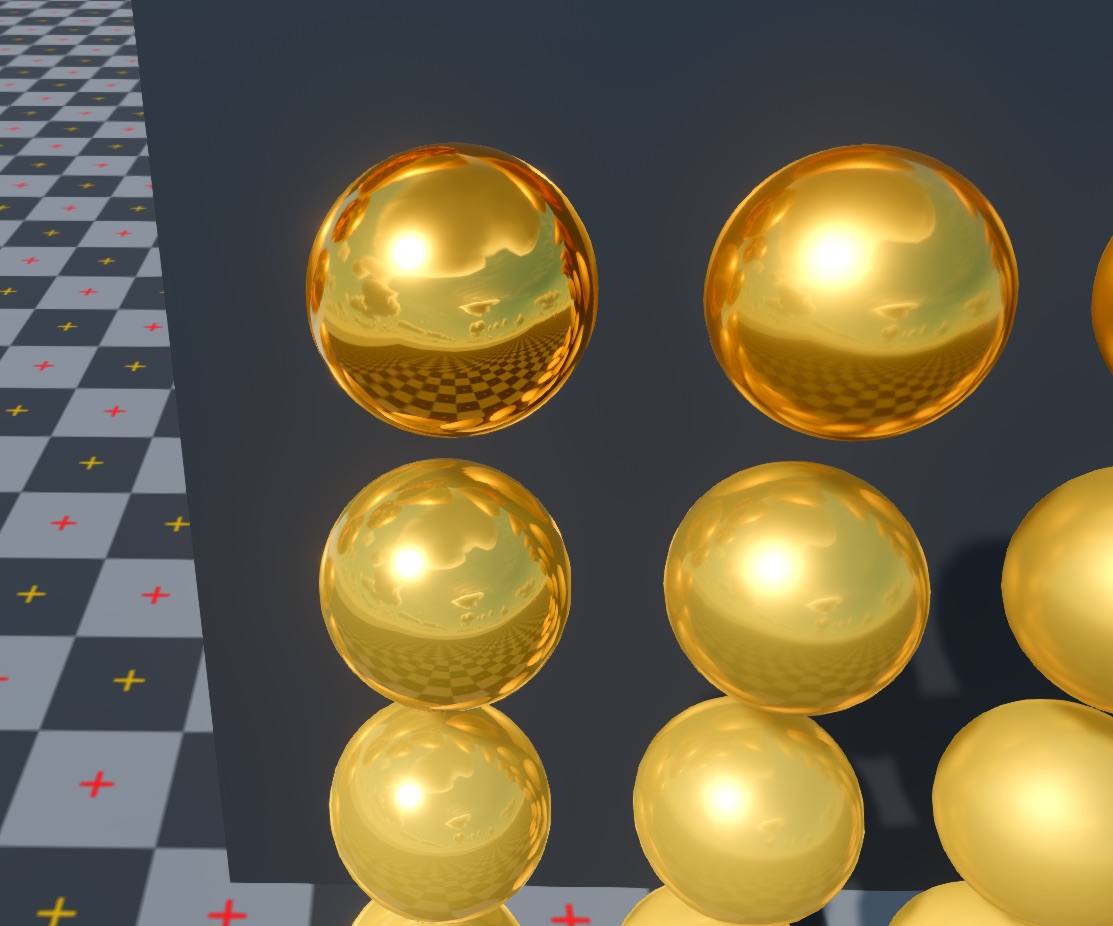
Surfaces that reflect their world.
Physically based materials and reflection probes work together, so metal looks like metal and every surface picks up the scene around it.
Metallic-roughness PBR
The standard workflow your textures already use. Dial metal and roughness and the lighting stays believable.
Reflection probes
Probes capture the sky, the ground and nearby objects, so shiny surfaces reflect the scene they sit in.
Light the whole scene.
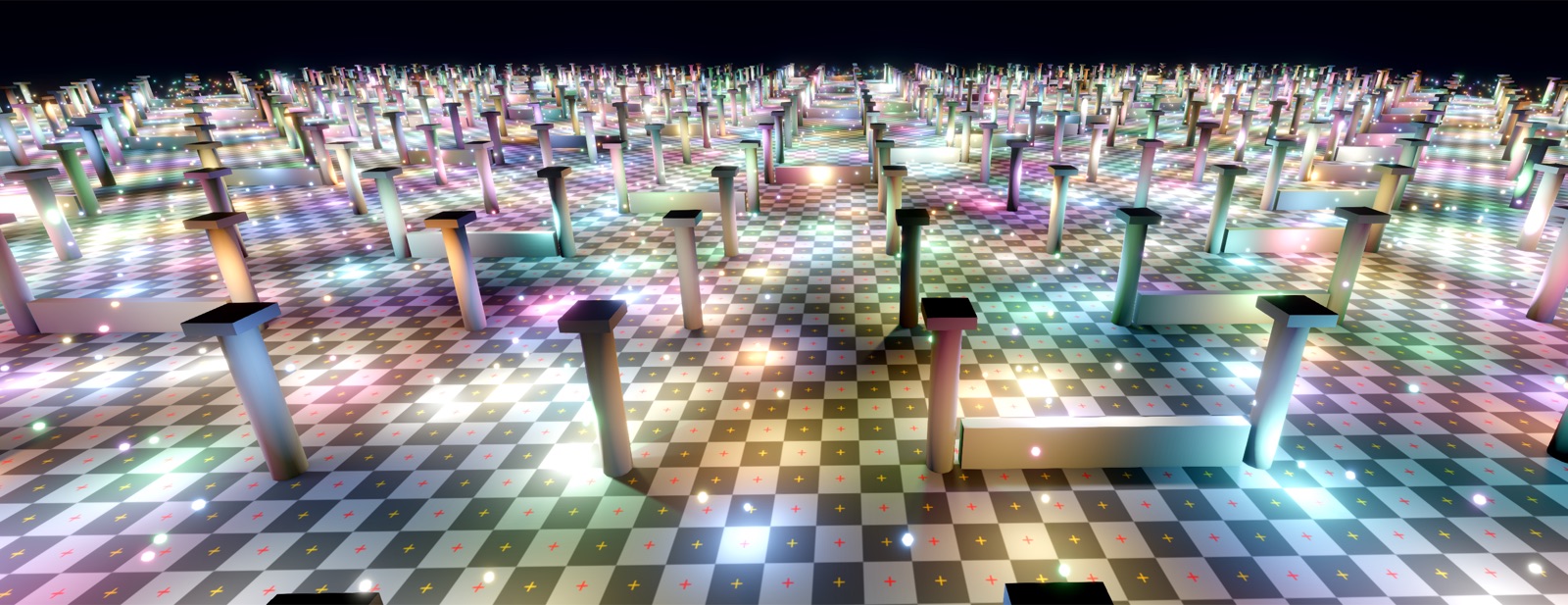
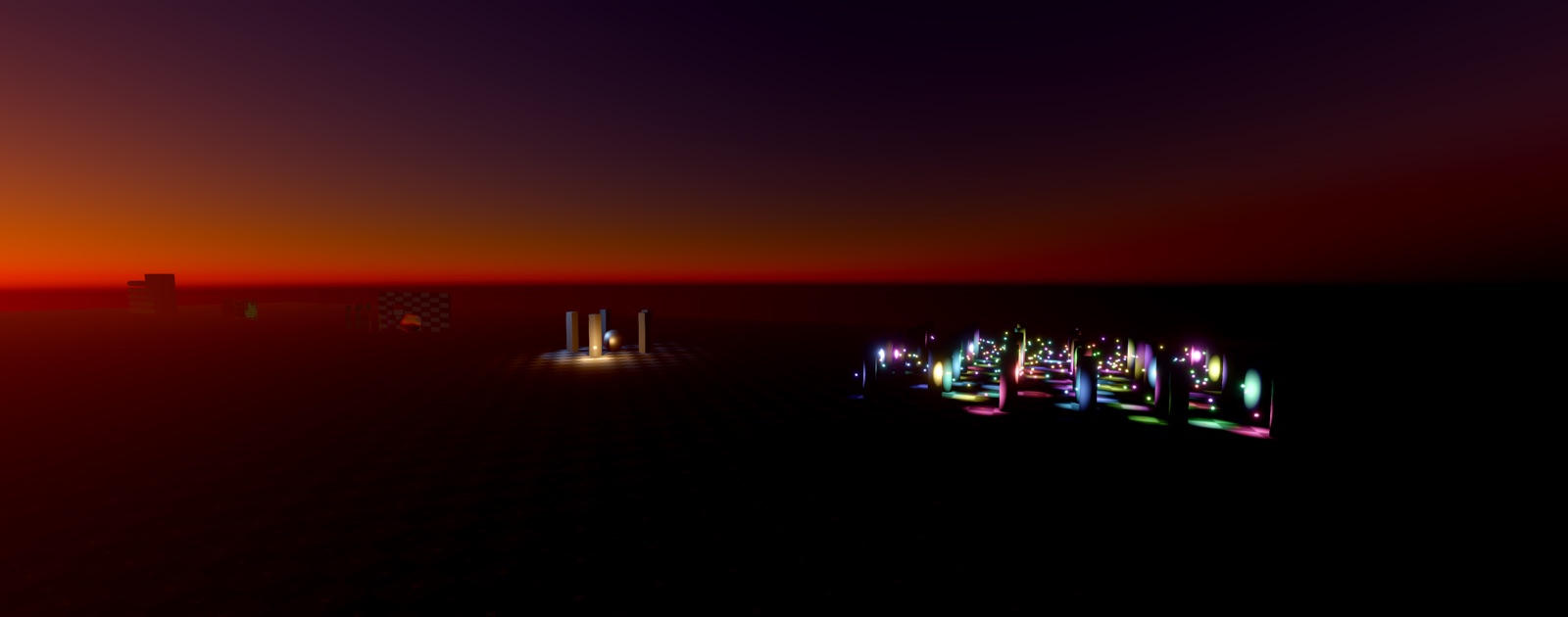
Fill a level with hundreds of real-time lights, then let fog and bloom carry them into the distance.
Shadows on every light
Point, spot and directional lights all cast shadows, with cascades for the sun and cubemap shadows for point lights.
Volumetric fog
Lights scatter through volumetric fog and fog volumes, and distance fog blends the horizon into the sky.
HDR and bloom
Bright lights glow past their edges, with a choice of tonemappers including ACES and AgX.
The finishing touches.
Particles for sparks and magic, and cameras that can render anywhere in the scene.
Particle systems
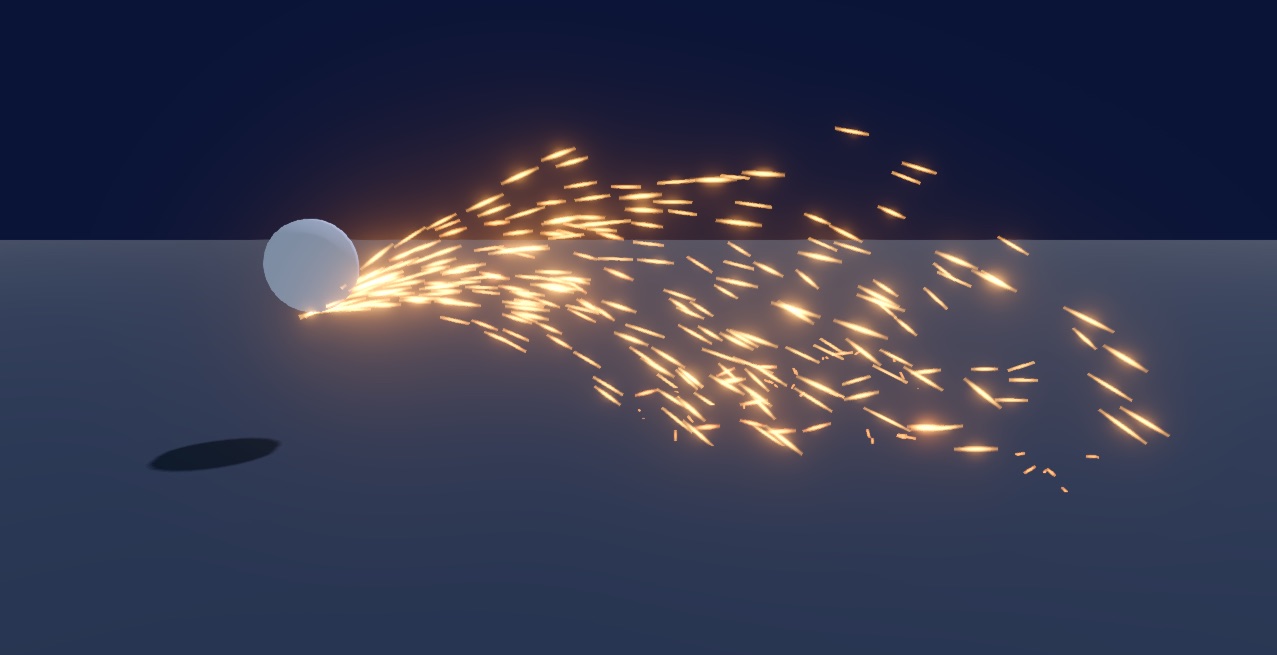
Sub-emitters, trails, collision, flipbooks and every emission shape, for sparks, fire and debris.
Glowing effects
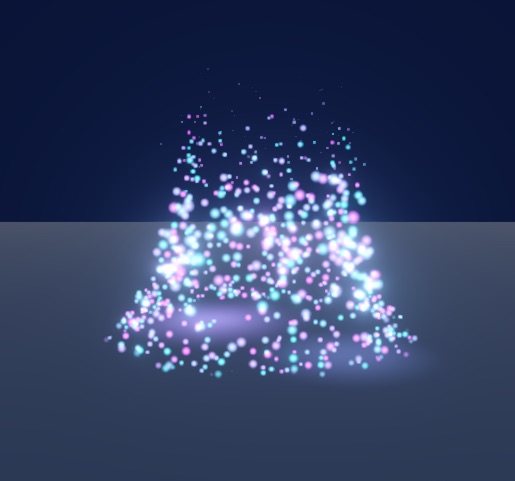
Particles can cast light of their own and bloom like any bright surface.
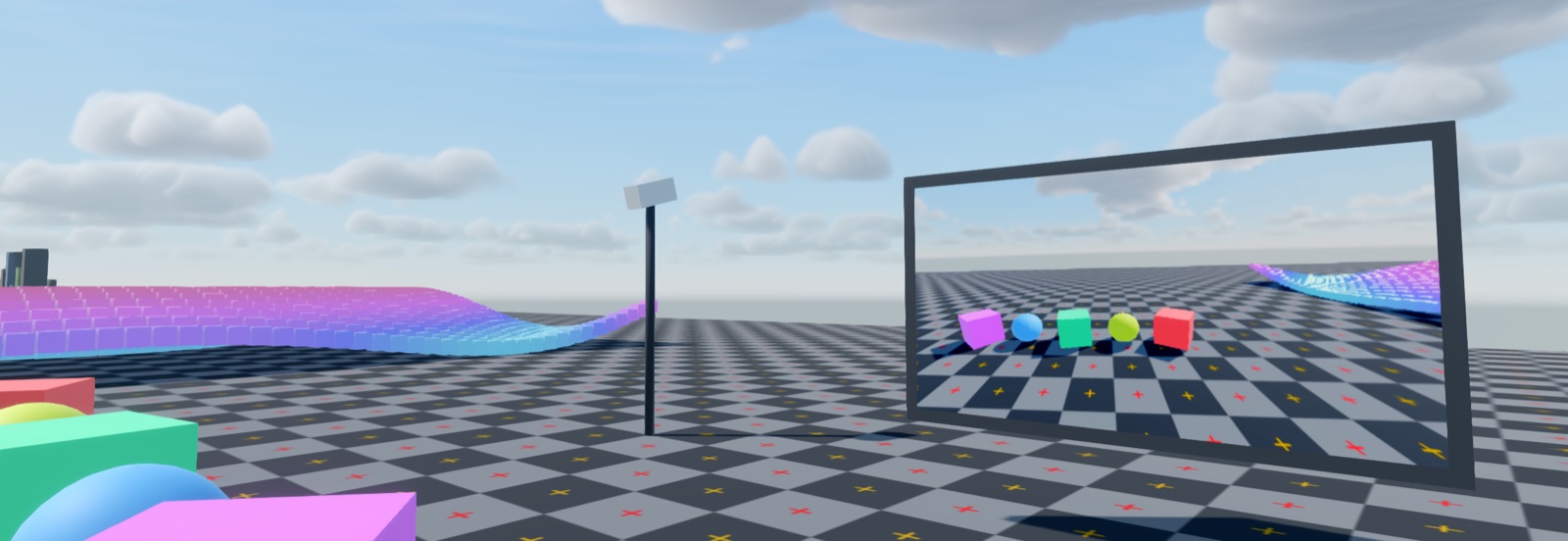
Multiple cameras
Render a second camera into a texture for screens, mirrors and security feeds.
Runtime & Scripting
Engine and game in one language, running with or without the editor.
One language.
Zero boundaries.
Most engines split you in two: the engine in C++, your scripts behind a binding layer. Prowl removes that wall. Engine and game code are the same language, the same binary.
Everything is plain C#
Renderer, physics, audio, ECS. Read it, change it. Built-in components are just regular scripts, so yours can do anything they can.
Tooling just works
Prowl projects are standard .NET .csproj files. Open and edit your code in any editor you like, Rider, VS Code or Visual
Studio, with no plugin or special extension.
Hot-reload, even in play mode
Save a script and the change lands in the running game. No restart, no lost state. IReloadAware and ReloadIgnore give you control when you need it.
using Prowl.Runtime;
using Prowl.Vector;

// Your component. Engine component. Same thing.
public class PlayerController : MonoBehaviour
{
    public float speed = 5f;
    private RigidBody3D rb;

    void Start()
    {
        // No reflection magic, direct reference
        rb = GetComponent<RigidBody3D>();
    }

    void FixedUpdate()
    {
        var input = Input.GetWASD();
        rb.AddForce(new Float3(input.X, 0, input.Y) * speed);
    }
}
No editor required.
The runtime is an ordinary .NET library. Reference it, write a class, run it.
using Prowl.Runtime;
using Prowl.Vector;

new MyGame().Run("Simple Cube", 1280, 720);

public sealed class MyGame : Game
{
    public override void Initialize()
    {
        var scene = new Scene();

        // Camera
        GameObject cam = new("Main Camera");
        cam.Transform.Position = new(0, 2, -8);
        cam.AddComponent<Camera>();
        scene.Add(cam);

        // Light
        GameObject light = new("Directional Light");
        light.AddComponent<DirectionalLight>();
        light.Transform.LocalEulerAngles = new Float3(-80, 5, 0);
        scene.Add(light);

        // Cube
        GameObject cube = new("Cube");
        MeshRenderer mr = cube.AddComponent<MeshRenderer>();
        mr.Mesh = Mesh.CreateCube(Float3.One);
        mr.Material = new(Shader.LoadDefault(DefaultShader.Standard));
        scene.Add(cube);

        Scene.Load(scene);
    }
}
Just a library reference
Add it to a normal .csproj and go.
No editor in the build
Editor code never ships inside your game.
Runs headless
Equally at home in a server, a test, or CI.
The editor is a client
Built on the same public API you write against.
Anthology
The MIT-licensed libraries Prowl is built from, each one usable on its own.
Built from a constellation
of MIT C# libraries.
The runtime is the core, assembled from libraries that each stand on their own. The editor sits on top and depends on nothing else.
The editor depends only on the runtime. Every box is a standalone, MIT-licensed package in github.com/ProwlEngine/Anthology
Use any piece on its own.
Every subsystem ships as its own MIT-licensed NuGet package. The runtime lives in the Prowl repo; everything below it comes from the Anthology monorepo. Pull just the one you need.
Browse Anthology on GitHubThe engine itself. Components, scenes, rendering, physics and audio, in one ordinary .NET library your game references directly.
EngineA low-level, cross-platform GPU abstraction for Windows, Linux and macOS. Powers the rendering layer.
RenderingModel importing for glTF 2.0, GLB, VRM, OBJ and FBX into one read-only model graph. Pure C#, no native dependencies.
AssetsSerialization via an intermediate representation you can inspect and modify before it becomes binary or text.
SerializationThe immediate-mode UI framework the editor is built in. Retained-mode results, immediate-mode ergonomics.
UITurns any triangle mesh into a non-overlapping UV atlas, ready for lightmaps and AO bakes.
MeshesImage decoding in managed C#, replacing the ImageMagick dependency for texture loading.
ImagingHardware-accelerated, anti-aliased 2D vector graphics. The renderer underneath Paper.
GraphicsTrueType parsing, text layout and Markdown, with no native dependencies. Draws the text Quill renders.
TypographyVectors, matrices, geometry, noise and collision, in 32- and 64-bit. The math the others are built on.
MathA .NET wrapper over the Slang shader compiler, covering its COM API plus shader reflection and type APIs.
ShadersA tiny, high-performance tokenizer that lexes directly over a ReadOnlySpan<char>. Built for DSLs, markup and config formats.
ParsingThe official component library for Paper. The widgets and gizmos the editor interface is assembled from.
UIScript hot-reloading. Components opt into reload behaviour with IReloadAware and ReloadIgnore.
Hot ReloadA progressive CPU lightmap baker. Path-traced direct and indirect lighting, BVH4 and AVX2 accelerated.
LightingLightweight, backend-agnostic localization for .NET. Works outside Prowl just as well as inside it.
LocalizationA pure .NET 2D physics engine. Rigid bodies, collision shapes and constraints, with no native binaries.
PhysicsAuthoritative client-server multiplayer with IL-weaved RPCs and automatic state replication. No source generators.
NetworkingAnd more
Editor tools, physics, animation, VR, terrain and the rest of what ships in the box.
A full editor, familiar from day one.
A Unity-like layout and workflow on Windows, Linux and Mac, built entirely on Prowl's own UI libraries.
Every panel you expect
Scene view, hierarchy, inspector, project browser, console and game view, docked however you like and remembered between sessions.
Playtest without leaving
Hit play and test in place, with undo/redo, gizmos and hot-reload right alongside.
Extend it in C#
Write custom component, property and scene-view editors for your own tools.
Twelve languages
The editor is localized into English, German, Spanish, French, Italian, Japanese, Korean, Polish, Portuguese, Russian, Turkish and Chinese.
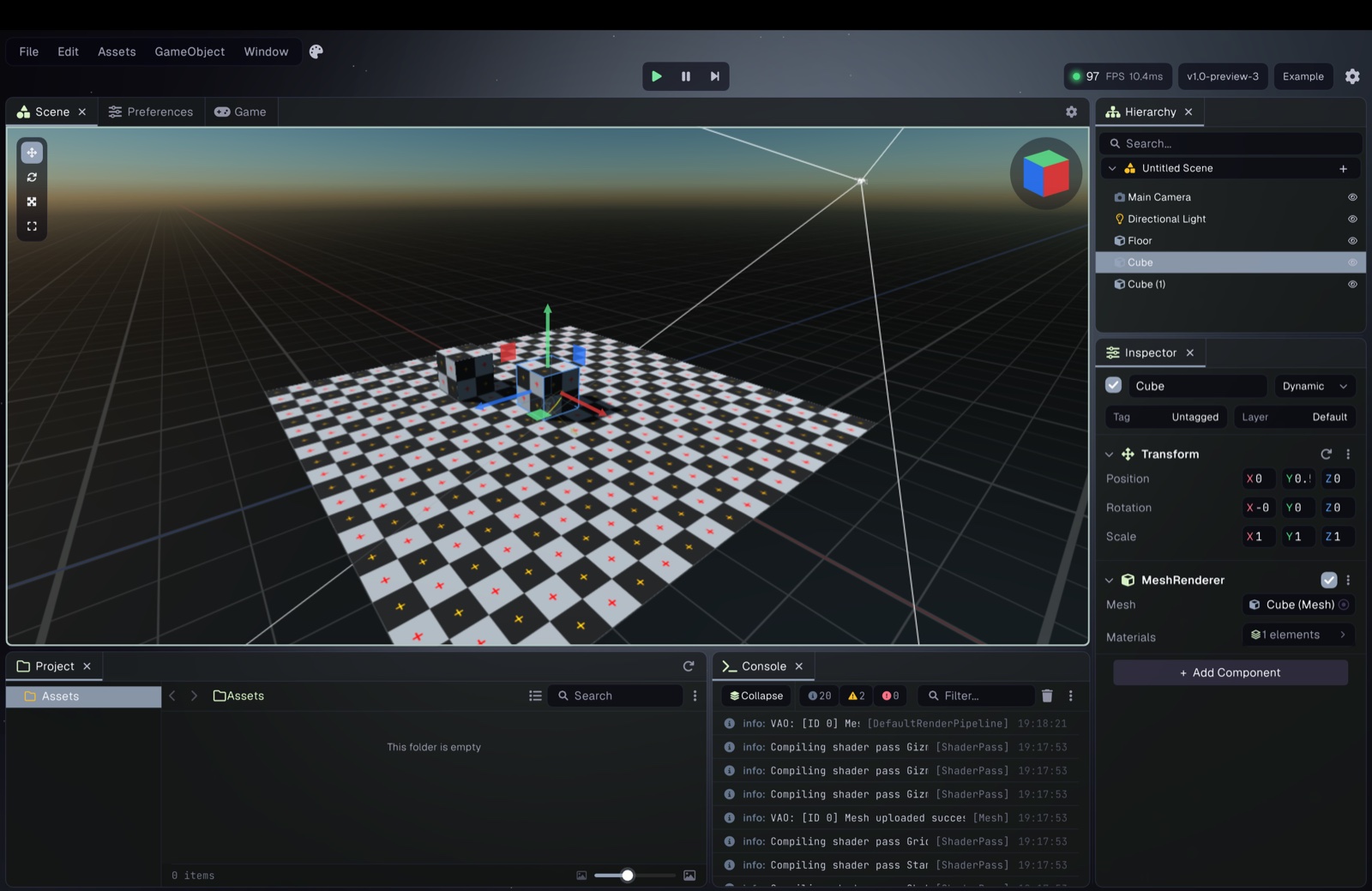
Make it yours.
Customizable color palettes and sizing, applied across the whole editor.
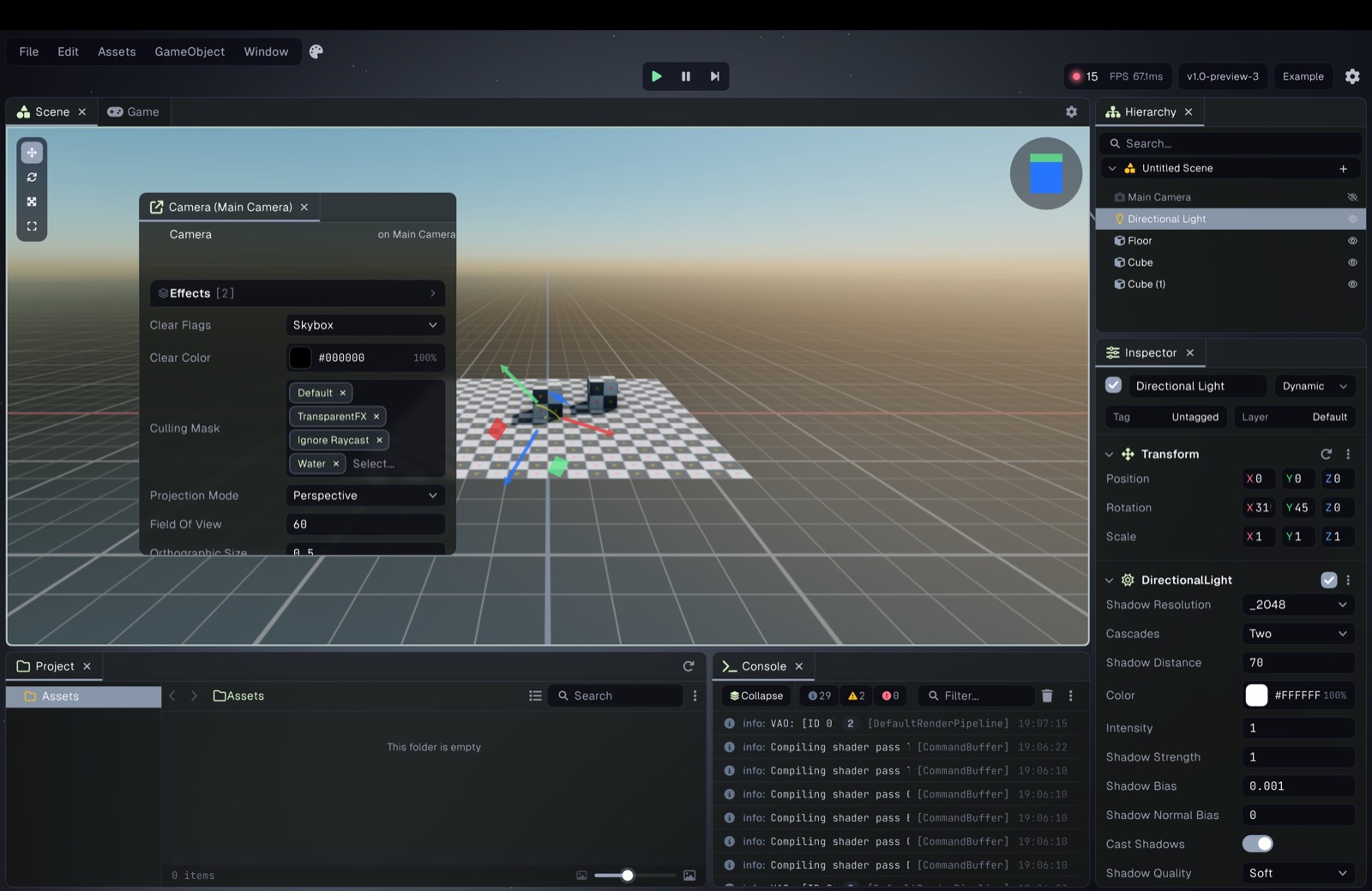
Built to drive.
Powered by Jitter Physics 2, with a wheel collider that has suspension and slip-based grip built in. The vehicle sample has six to drive, from a go-kart to a six-wheeled army truck and a motorcycle.
Character controller
A ready-made controller that copes with stairs, slopes, low ceilings and moving platforms.
Joints and motors
Hinges, ball sockets, sliders, limits and motors for doors, ragdolls and machines.
Triggers, layers and queries
Trigger volumes, layer-mask filtering, raycasts and shape queries from one API.
Colliders
10
Collider types, including terrain and wheels
13
Joint, constraint and motor types
Characters that move like they mean it.
A new animation graph drives everything, from simple clips to motion matching and physics-driven ragdolls.
Motion matching
Fluid, responsive locomotion picked straight from your animation data.
Ragdolls and active ragdolls
Go limp on impact, or stay physically simulated while still following the animation.
Skinned meshes
Bone animation and blendshapes on the skinned mesh renderer.
Step inside your game.
Headset and controller tracking with SteamVR or the Meta app. The samples run from the bare minimum to a full physics playground.
Hands that grab
Controllers drive hands that pick up, throw and climb.
A fully simulated body
In the VR Showcase the player is a physics body, so the world pushes back and you ride whatever you stand on.
Walk, turn or teleport
Smooth or snap turning, crouching, jumping and teleport movement, all in the showcase.
Bake light that bounces.
Prowl.Photonic is a progressive CPU lightmapper, so the bake keeps refining while you watch.
Path-traced
Direct and indirect lighting, accelerated with BVH4 and AVX2.
Automatic lightmap UVs
Prowl.Unwrapper turns any mesh into a non-overlapping UV atlas, ready to bake.
Baked light probes
Moving objects pick up the baked lighting too.
Two ways to build UI.
Immediate mode for tools and debug panels, GameObjects for menus and in-world screens.
Paper
Immediate-mode UI with vector graphics and text from Quill and Scribe. The whole editor is built with it.
GameObject UI
RectTransform layout, buttons, sliders, layout groups and drag-and-drop events, on screen or in world space.
Prowl Actions
Event callbacks you wire up in the inspector, saved with the scene.
Landscapes, painted in.
A dedicated terrain editor for sculpting, painting and populating large outdoor scenes.
Sculpt and paint
Heightmap and splatmap painting, with quadtree LOD keeping distant ground cheap.
Grass and trees
GPU-instanced grass and trees with LOD distances.
Holes
Cut openings for caves, tunnels and pits.
Everything else in the box.
Spatial audio
3D audio with attenuation, Doppler and an effect chain. WAV, MP3, OGG and FLAC.
Input actions
Action assets with composites and processors for keyboard, mouse and gamepad.
Nested prefabs
Apply, revert and override tracking, with prefabs inside prefabs.
Async tasks
GameTask sequences that wait on frames or time, or hand work to a worker thread.
Asset pipeline
GUID references, auto-reimport, custom importers and threaded loading.
Standalone builds
Windows, Mac and Linux, with packed assets and per-platform profiles.
Plugins
Managed and native plugins, organized with assembly definitions.
450+ tests
Unit tested across the runtime and the editor.
Read the source.
Every system listed here is plain C# you can open. No black boxes.